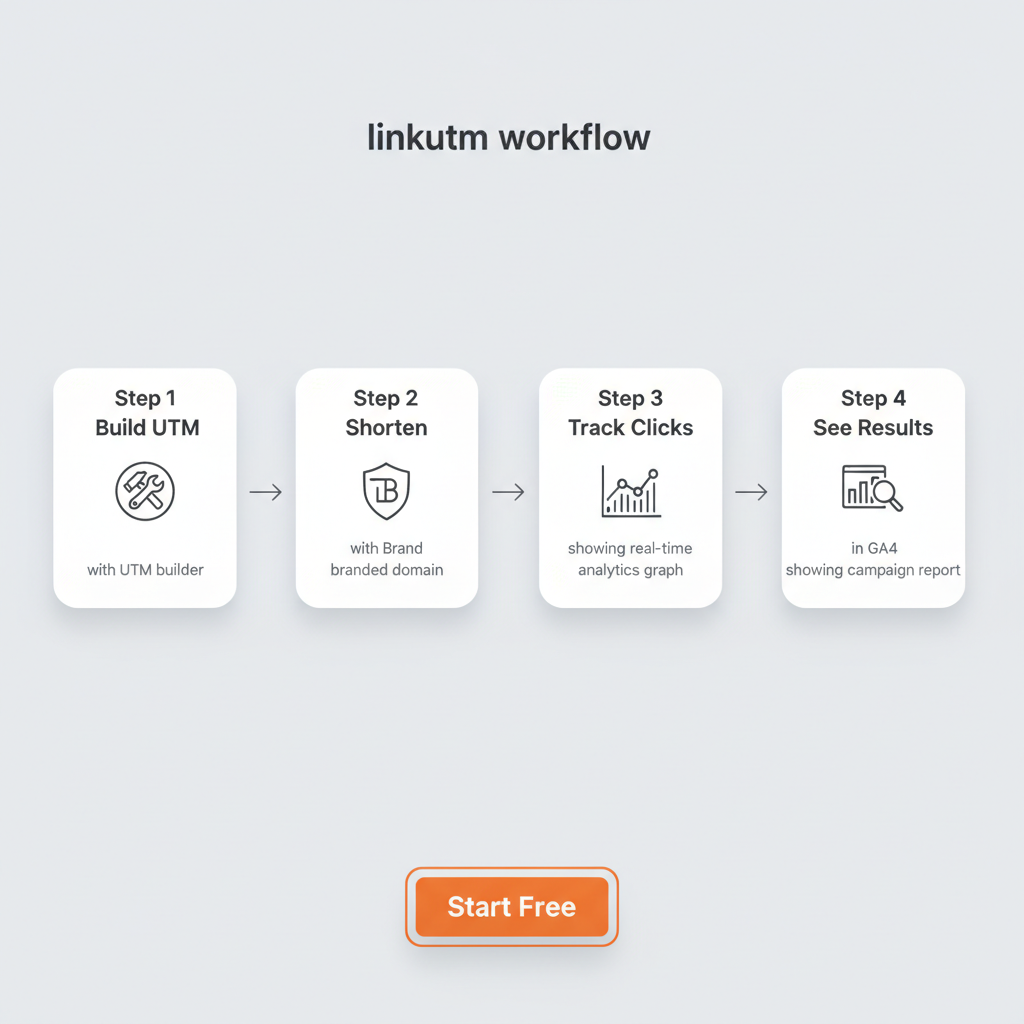

To shorten a link, paste your long URL into a URL shortener like Bitly, TinyURL, or linkutm, click the shorten button, and copy the resulting compact link that redirects to your original destination. The entire process takes less than 10 seconds.
But here is the thing most guides skip: the method you choose matters more than you think.
The URL shortener market reached $1.12 billion in 2026 and 95% of B2B marketers now use short links. Yet most marketers still grab a generic bit.ly link and move on, not realizing that branded short links get 2.3x more clicks than generic ones. And if you are building marketing URLs with UTM parameters, those tracking links can hit 200+ characters before you even add them to an email or social post.
This guide covers five proven methods to shorten a link, from free one-click tools to branded custom domains with full campaign tracking. You will also learn which method works best for your situation, how to stay safe with shortened links, and when not to shorten a link at all.
What Is a Link Shortener and How Does It Work?
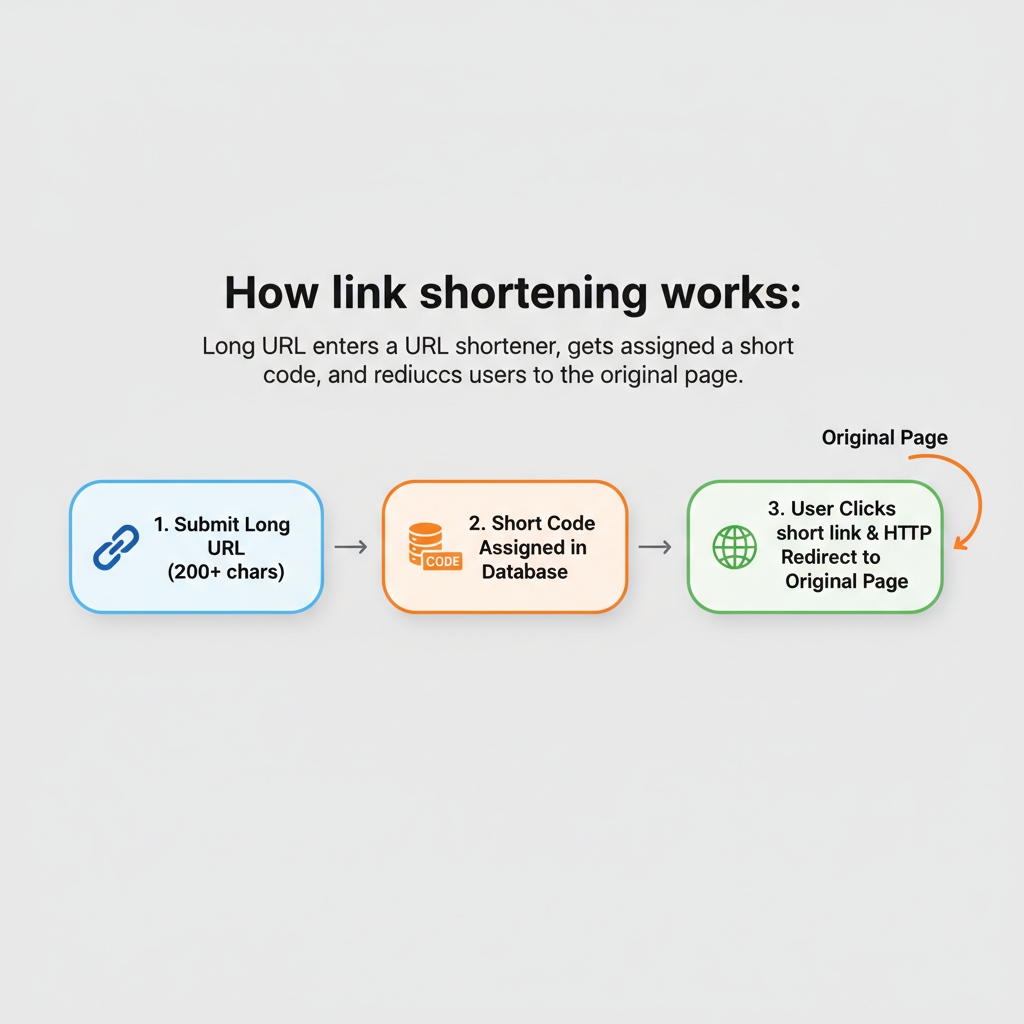
A link shortener (also called a URL shortener) is a web tool that takes a long URL and creates a shorter version that redirects to the same destination. When someone clicks the short link, the shortener’s server looks up the original URL in its database and performs an HTTP redirect (301 or 302) to send the user to the correct page.
Link shorteners work in three steps:
- You submit a long URL to the shortening service
- The shortener generates a unique short code (like “x8k2p”) and stores the mapping between that code and your original URL in a database
- When someone clicks the short link, the server returns an HTTP redirect that sends the browser to the original destination
The process is instant. The redirect happens so fast that users never see the shortener’s server. They just arrive at the destination page.
A Brief History of URL Shorteners
TinyURL launched in 2002 as the first major URL shortener, created specifically to share long URLs in email and online forums. Bitly followed in 2008 and became the dominant platform for link management. Google launched goo.gl in 2009 but discontinued it in March 2019, citing the shift toward Firebase Dynamic Links. Today, the market has shifted toward branded link shorteners that use custom domains for higher trust and click-through rates.
Three Types of Link Shorteners
Not all shorteners work the same way. Here is the breakdown:
- Generic shorteners use a shared domain (bit.ly, tinyurl.com) with random character codes. They are free and fast but offer no branding or advanced tracking.
- Branded shorteners use your own custom domain (like link.yourbrand.com) to create professional, recognizable links. These get significantly higher click-through rates.
- Platform-specific shorteners are built into services like X/Twitter (t.co), YouTube (youtu.be), and Amazon (amzn.to). They shorten links automatically within their platforms.
Key Terms You Should Know
| Term | Definition |
|---|---|
| Link shortener | A web tool that converts long URLs into compact short links using HTTP redirects |
| Branded link | A short link using a custom domain (e. g., link.yourbrand.com/offer) instead of a generic domain |
| Vanity URL | A customized, human-readable short link created for branding and memorability |
| 301 redirect | A permanent HTTP redirect that transfers SEO value to the destination URL |
| 302 redirect | A temporary HTTP redirect commonly used by URL shorteners for flexibility |
| Back-half | The customizable portion after the domain in a short link (e. g., “offer” in link.brand.com/offer) |
| UTM parameters | Tags added to URLs (utm_source, utm_medium, utm_campaign) to track campaign performance in analytics tools |
| Custom domain | Your own branded domain connected to a URL shortener for professional short links |
For a deeper look at branded URLs and their advantages, read our guide on what is a vanity URL.
Why Shorten a Link? 7 Reasons Marketers Use Short Links
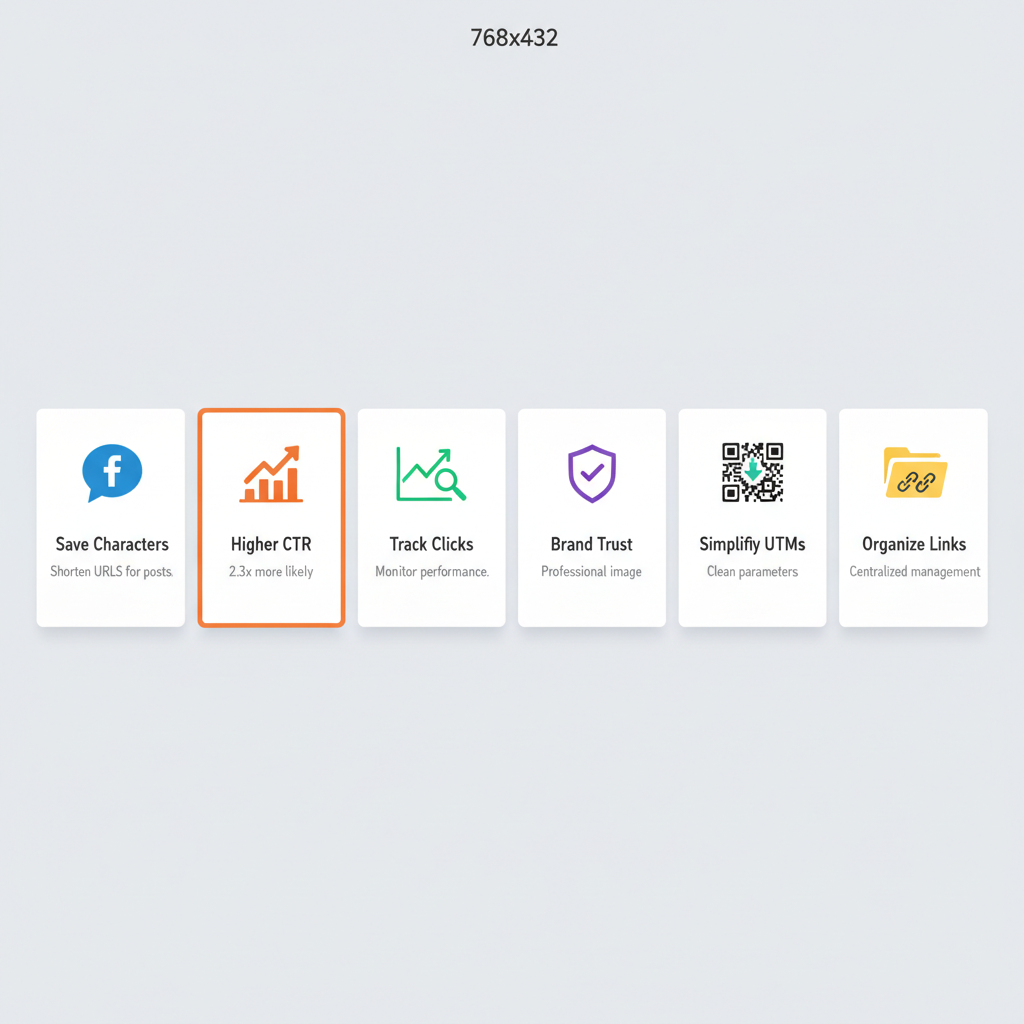
Shortening a link is not just about saving characters. Here are seven reasons professional marketers use short links in every campaign.
1. Save Characters on Social Media
Short links save valuable characters on platforms with strict length limits. On X/Twitter, every link counts as 23 characters regardless of actual URL length. On SMS, you only have 160 characters total. Clean, short links leave more room for your message.
| Platform | Post Character Limit | Link Context |
|---|---|---|
| X (Twitter) | 280 (free), 25,000 (Premium) | Every link = 23 characters via t.co |
| 2,200 caption | Links not clickable in captions; short links better for bio and stories | |
| 700 (company), 1,300 (personal) | Posts truncated after 140 characters | |
| 63,206 | Posts under 80 characters get 66% higher engagement | |
| TikTok | 4,000 caption | Short links essential for bio |
| SMS/MMS | 160 (SMS) | Every character counts; short links critical |
| 500 description | Clean links improve pin aesthetics |
2. Increase Click-Through Rates
Branded short links get 2.3x more clicks than generic shortened links because users trust recognizable domain names over random character strings like bit.ly/x8k2p. According to Rebrandly, branded links increase CTR by up to 39% compared to generic shorteners.
The trust factor is straightforward. When someone sees go.yourbrand.com/spring-sale, they know exactly who sent the link and where it goes. When they see bit.ly/3xF9kL, they have no idea.
3. Track Clicks and Campaign Performance
URL shorteners with analytics track every click, recording geographic location, device type, referral source, and timestamp for real-time campaign performance measurement. This data helps you understand which channels drive engagement and which campaigns need adjustment.
When combined with UTM parameters, short links become a powerful attribution tool. You get clean, shareable links on the front end and detailed campaign data in Google Analytics on the back end.
4. Build Brand Trust and Look Professional
A branded short link like go.yourbrand.com/sale looks professional and trustworthy. A generic bit.ly/x8k2p link can look suspicious and actually reduce engagement. In an era where phishing is a real concern, branded links signal legitimacy with every share.
Learn more about how branded links boost click-through rates and build credibility across channels.
5. Make Links Shareable for Print and Offline
Short links are essential for offline marketing. When someone sees a link on a business card, poster, flyer, or presentation slide, they need to type it manually. A URL like go.yourbrand.com/demo is easy to remember and type. A URL with 15 UTM parameters is not.
Short links also convert cleanly into QR codes for events, packaging, and print advertising.
6. Simplify Long URLs with UTM Parameters
Marketing URLs with UTM tracking parameters regularly exceed 200 characters. A typical UTM-tagged link looks like this:
https://www.example.com/landing-page?utm_source=instagram&utm_medium=social&utm_campaign=spring_sale_2026&utm_content=bio_link
That is 126 characters of tracking data attached to your URL. A branded URL shortener compresses this into something like go.yourbrand.com/spring-sale while preserving all UTM data for analytics.
7. Organize and Manage Marketing Links
URL shortener dashboards centralize all campaign links in one searchable location, replacing scattered spreadsheets. Instead of hunting through tabs named “Q2-Campaigns-Final-FINAL-v3,” you can find, edit, and analyze any link in seconds.
A proper link management tool keeps your entire team aligned with shared templates, consistent naming conventions, and organized project folders.
How to Shorten a Link: 5 Methods (Step-by-Step)
Here are five ways to shorten a link, from the fastest one-click option to developer-friendly API integration. Choose the method that matches your workflow.
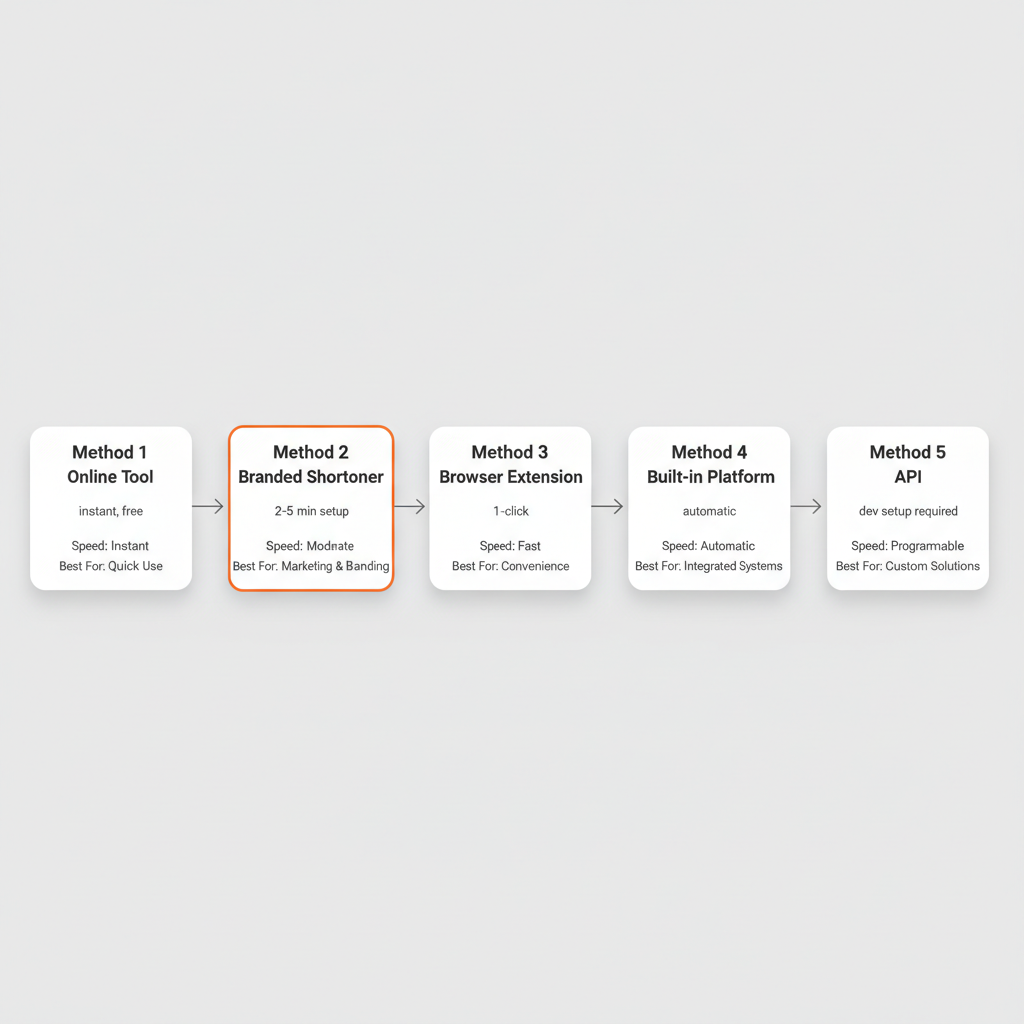
Method 1: Use an Online URL Shortener (Quickest Way)
The fastest way to shorten a link is to paste your URL into a free online shortener like Bitly, TinyURL, or linkutm and click the shorten button. No signup required for basic shortening.
Step-by-step:
- Go to a URL shortener website (Bitly.com, TinyURL.com, or linkutm.com)
- Paste your long URL into the input field
- Click the “Shorten” or “Create” button
- Copy the generated short link
- Share the short link anywhere: email, social media, chat, or print
Best for: Quick, one-off link shortening when you need a compact URL immediately with no setup.
Limitations: Generic domains (bit.ly, tinyurl.com) offer no brand recognition. Analytics are basic or nonexistent on free tiers. You cannot customize the link slug on most free plans.
Method 2: Use a Branded URL Shortener (Best for Marketing)
A branded URL shortener lets you create short links with your own custom domain, which increases click-through rates by up to 39% compared to generic short links. Instead of bit.ly/x8k2p, you get go.yourbrand.com/spring-sale.
Step-by-step:
- Sign up for a branded URL shortener (linkutm, Rebrandly, or Short.io)
- Connect your custom domain in the platform settings (the service handles SSL certificates automatically)
- Create a new short link with your destination URL
- Customize the back-half to something readable (e. g., /spring-sale instead of /x8k2p)
- Add UTM parameters for campaign tracking if needed
- Copy and share your branded short link
Best for: Marketing campaigns, social media, email newsletters, and any context where brand trust and click tracking matter.
Why this method wins: Paid Bitly users saw 88% more traffic year-over-year in 2025, while free/generic link users saw a 48% traffic decline during the same period. Branded links are not just a nice-to-have anymore.
If you want to understand the full benefits of using your own domain, read our custom URL shortener guide.
Method 3: Use a Browser Extension (Fastest Daily Workflow)
Browser extensions for URL shorteners let you shorten any link with a single click without leaving the page you are on. This is the fastest method for people who shorten links frequently.
Step-by-step:
- Install a URL shortener extension for Chrome, Edge, or Firefox (Bitly, linkutm, and Short.io all offer extensions)
- Navigate to the page you want to share
- Click the extension icon in your browser toolbar
- The short link is automatically created and copied to your clipboard
- Paste and share
Best for: Content curators, social media managers, and anyone who shortens links multiple times per day.
Method 4: Use Built-In Platform Shorteners
Several platforms automatically shorten links or offer their own built-in URL shorteners. You may already be using short links without realizing it.
Platform shorteners include:
- X/Twitter: Automatically shortens all links to t.co URLs (23 characters each)
- YouTube: Provides youtu.be short links for every video
- Amazon: Generates amzn.to short links for product pages
- Google Maps: Creates goo.gl/maps short links for locations
- WordPress: Plugins like Pretty Links and BetterLinks shorten URLs within your site
Best for: Platform-specific sharing where the built-in shortener handles everything automatically. No extra setup required.
Limitation: You get zero control over branding, analytics are limited to the platform’s dashboard, and you cannot use these short links outside the platform’s ecosystem.
Method 5: Use a Link Shortener API (For Developers and Automation)
URL shortener APIs let developers programmatically create short links within apps, email automation platforms, and marketing tools without manual intervention.
Common use cases:
- Automated email campaigns that generate unique tracked links per recipient
- E-commerce platforms that shorten product URLs dynamically for social sharing
- Marketing automation workflows that create campaign links at scale
- Custom dashboards that integrate link performance data from multiple sources
Best for: Development teams, marketing automation engineers, and businesses that need to generate thousands of links programmatically.
Most major shorteners offer REST APIs, including Bitly, linkutm, Short.io, and Rebrandly. Check each platform’s documentation for rate limits and authentication requirements.
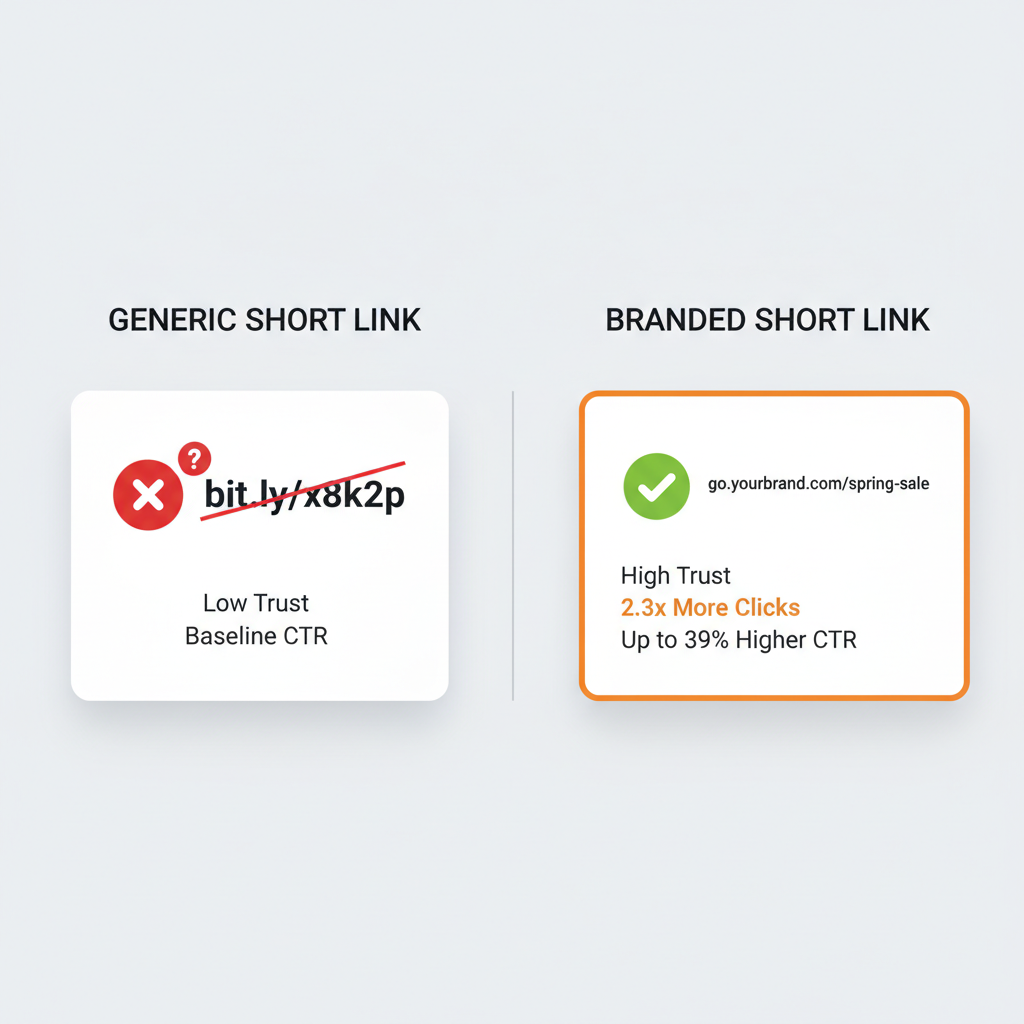
Generic vs. Branded Short Links: Which Should You Use?
Generic short links use a shared domain like bit.ly with random characters. Branded short links use your own custom domain with a readable back-half. The performance difference is significant.
| Feature | Generic Short Link | Branded Short Link |
|---|---|---|
| Example | bit.ly/x8k2p | go.yourbrand.com/sale |
| Trust Level | Low (looks suspicious) | High (recognizable domain) |
| Click-Through Rate | Baseline | Up to 39% higher |
| Click Volume | Baseline | 2.3x more clicks |
| Brand Recognition | None | Reinforces brand with every share |
| Custom Back-Half | Limited | Full control (e. g., /spring-sale) |
| Cost | Free | Free tier available; paid for advanced features |
| Best For | Personal use, one-off sharing | Marketing campaigns, business communications |
| Analytics | Basic click counts | Full analytics (geo, device, referrer, time) |
| UTM Integration | Usually not included | Built-in UTM parameter support |
When generic is fine: Personal link sharing, one-time communications between colleagues, internal team messages, and non-marketing contexts where tracking and branding do not matter.
When branded is essential: Marketing campaigns, social media posts, email newsletters, paid advertising, print materials, client-facing communications, and any context where trust and brand recognition drive clicks.
The data is clear. According to Bitly, SMBs using branded links drove 68% more traffic than the previous year, while free/generic link users saw a 48% decline. If you are investing time in marketing, invest in how your links look and perform.
How to Shorten a Link with UTM Parameters
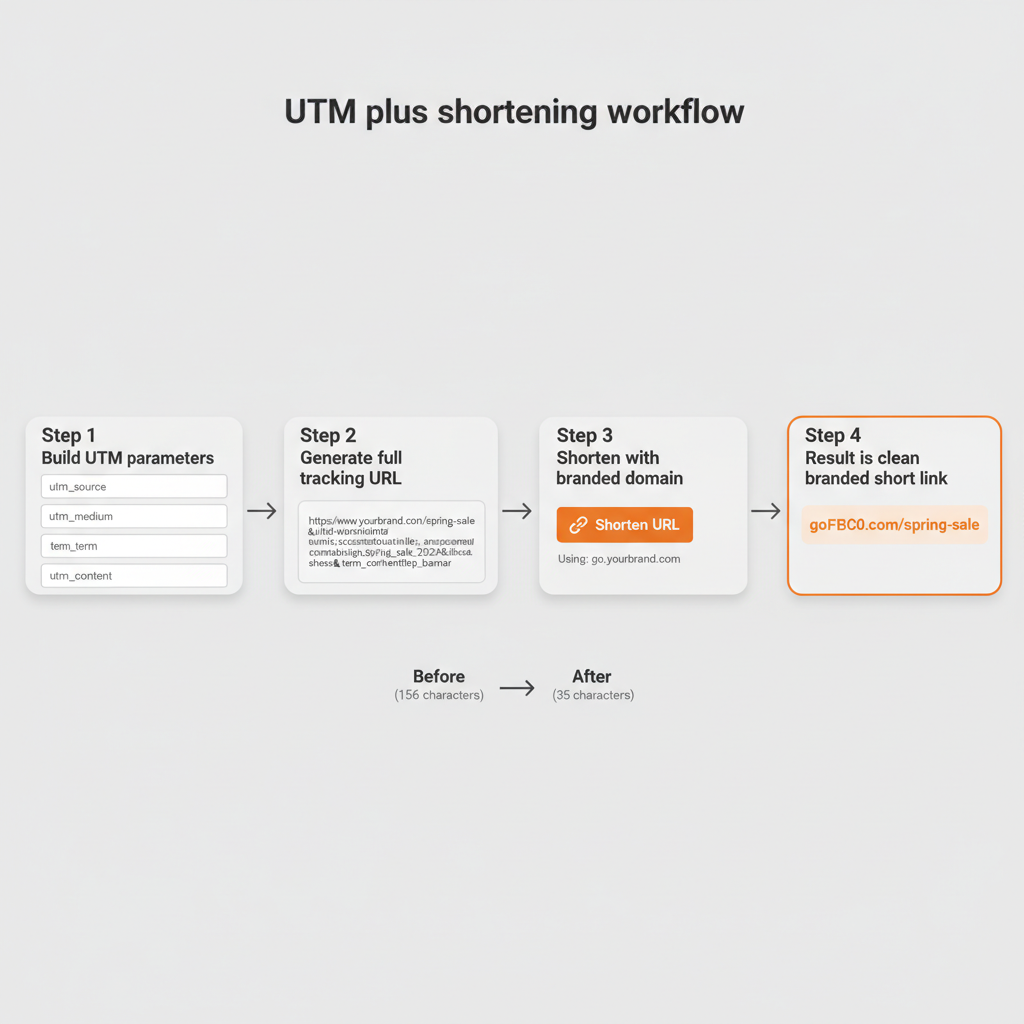
The most effective way to shorten a marketing link is to add UTM parameters for tracking first, then shorten the tagged URL to create a clean, branded link that tracks every click in Google Analytics.
The Problem: UTM Links Are Ugly and Long
Marketing URLs with UTM parameters look like this:
https://www.example.com/landing-page?utm_source=instagram&utm_medium=social&utm_campaign=spring_sale_2026&utm_content=bio_link&utm_term=utm_guide
That is 156 characters. You cannot share that in an Instagram bio, print it on a flyer, or expect anyone to click it in a tweet without hesitation.
The Solution: Shorten After Tagging
Combine UTM tracking with link shortening in five steps:
- Build your UTM parameters using a UTM link builder (specify utm_source, utm_medium, utm_campaign, and optionally utm_content and utm_term)
- Generate the full tracking URL
- Paste the long UTM URL into a branded URL shortener
- Customize the back-half to something readable (e. g., /spring-sale)
- Share the clean branded short link that preserves all UTM tracking data
When someone clicks go.yourbrand.com/spring-sale, the URL shortener redirects them to the full tracking URL. Google Analytics records the UTM data for campaign attribution while the short link keeps the user experience clean and professional.
This combination of tracking and branding is the standard approach for professional marketing campaigns. For naming conventions and parameter guidelines, check out our UTM best practices guide.
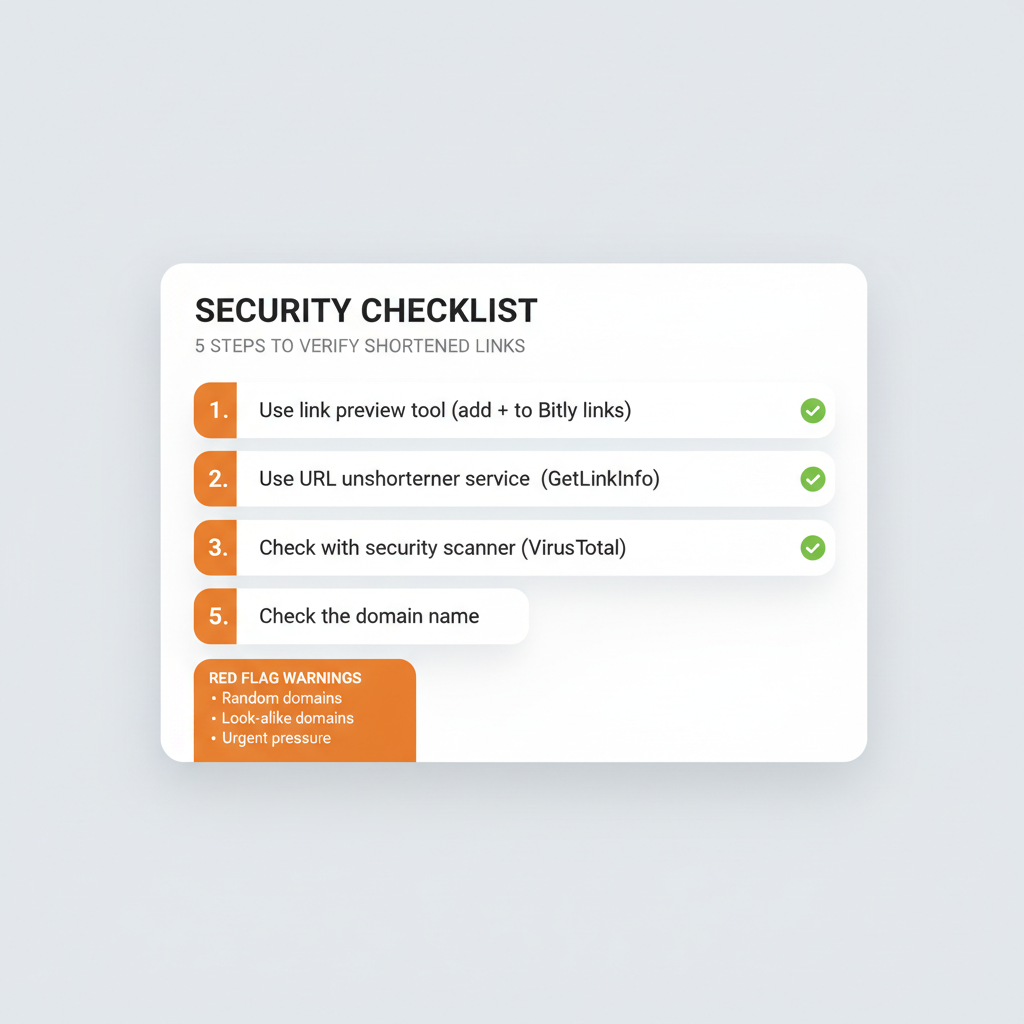
Are Shortened Links Safe? Security Best Practices
Shortened links from reputable services are safe, but they can be exploited for phishing because the shortened URL hides the true destination. According to Menlo Security, researchers observed a 198% increase in browser-based phishing attacks in 2025. Cofense reported that 28% of phishing campaigns used common link shortening services to deliver malware.
This does not mean you should avoid shortened links. It means you should verify them when they come from unknown sources and use branded links to build trust with your own audience.
How to Verify a Shortened Link Before Clicking
If you receive a short link from someone you do not know, verify it before clicking:
- Use a link preview tool: Add “+” to the end of a Bitly link (e. g., bit.ly/x8k2p+) to preview the destination without clicking
- Use a URL unshortener: Services like GetLinkInfo.com and UnshortenIt reveal the full destination URL
- Check with a security scanner: Submit the short link to VirusTotal.com for a comprehensive safety check
- Look for HTTPS: Legitimate branded short links use HTTPS encryption
- Check the domain: Branded links from recognizable domains (go.yourbrand.com) are more trustworthy than random domains
Why Branded Links Solve the Trust Problem
Branded short links from a recognizable domain like go.yourbrand.com are inherently more trustworthy than generic links like bit.ly/x8k2p. Recipients can verify the sender’s identity from the domain name alone. This is why branded links consistently outperform generic shorteners in click-through rates.
Red Flags to Watch For
Be cautious of shortened links that:
- Come from random domain names you do not recognize
- Arrive unsolicited in emails or messages from unknown senders
- Use look-alike domains (like g00gle instead of google)
- Pressure you to click urgently (“Act now or lose your account!”)
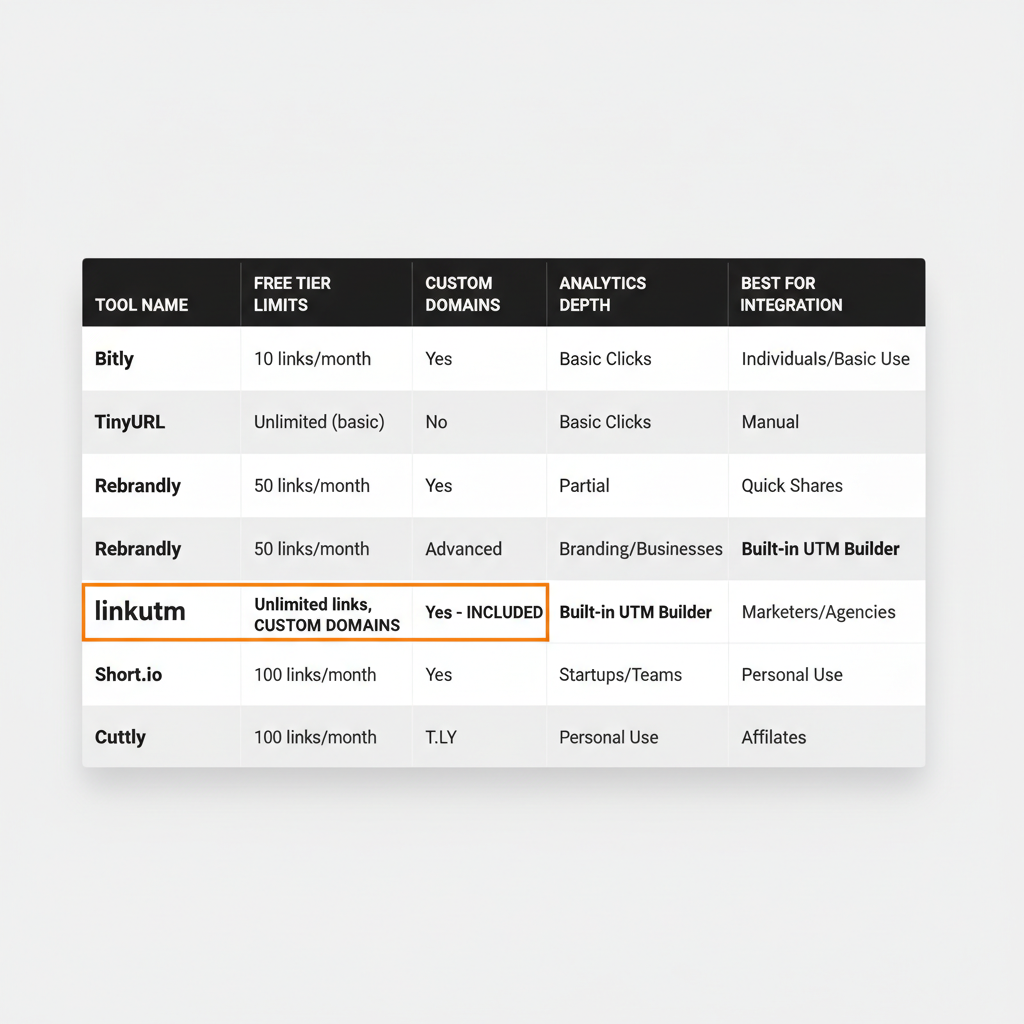
Best URL Shorteners Compared (2026)
The best URL shortener depends on your needs. Here is how the top tools compare across features that matter most.
| Tool | Free Tier | Custom Domains | Analytics | UTM Integration | Best For |
|---|---|---|---|---|---|
| Bitly | 10 links/mo | Paid only ($35+/mo) | Full | Limited | Enterprise teams with budget |
| TinyURL | Unlimited links | Pro plan ($9.99/mo) | Pro only | No | Quick one-off shortening |
| Rebrandly | 10 links/mo | 1 domain (free) | Full | Limited | Brand-focused link management |
| linkutm | 25 links/mo | Free tier included | Full + GA4 | Built-in UTM builder | Marketers tracking campaigns |
| Short.io | 1,000 links total | 1 domain (free) | Full | Limited | Developers and API users |
| T.LY | 5 links/mo | Paid only | Basic | No | Simple free shortening |
| Cuttly | Unlimited | Paid only | Basic | No | Basic free shortening |
Key differences to consider:
- If you need free custom domains: linkutm and Rebrandly include custom domain support on free tiers. Bitly charges $35+/month for the same feature.
- If you need UTM tracking: linkutm is the only shortener with a built-in UTM builder and automatic naming enforcement. Other tools require you to build UTM links separately.
- If you need simplicity: TinyURL offers unlimited free links with no signup required for basic shortening.
- If you need an API: Short.io and Bitly offer robust developer APIs for programmatic link creation.
For a full breakdown of features and pricing, see linkutm pricing plans.
How to Shorten a Link for Specific Platforms
Different platforms have different requirements for link sharing. Here is how to optimize your short links for each.
How to Shorten a Link for Instagram
Instagram does not allow clickable links in post captions. Use a branded URL shortener, then place the short link in your bio, stories (via the link sticker), or a Linktree-style landing page. Keep the back-half descriptive so followers know what they are clicking: link.yourbrand.com/new-collection works better than link.yourbrand.com/x8k2p.
For tracking Instagram campaigns, combine short links with UTM parameters. Use utm_source=instagram and utm_medium=social to see exactly how much traffic and how many conversions your Instagram content drives. Learn how to track social media ROI with UTM shorteners.
How to Shorten a Link for X (Twitter)
X/Twitter automatically shortens all links to t.co format (23 characters each), so you do not save characters by shortening first. However, using a branded shortener before posting gives you click analytics and brand recognition that t.co does not provide. Your followers see go.yourbrand.com/update instead of a cryptic t.co link.
How to Shorten a Link for Email
Shorten links in email campaigns by combining UTM parameters with a branded short link. This ensures click tracking works in Google Analytics while keeping the email looking clean and professional. Tag each CTA with a different utm_content value to track which buttons and links drive the most clicks.
For a step-by-step guide, read how to track email campaigns with UTM.
How to Shorten a Link for SMS
SMS messages are limited to 160 characters, making link shortening essential. Use a branded shortener to create short, trustworthy links that maximize the limited space. Generic bit.ly links can trigger spam filters in some carriers, while branded domains have higher deliverability rates.
With SMS open rates at 98%, every link in a text message gets seen. Make sure it looks trustworthy enough to click.
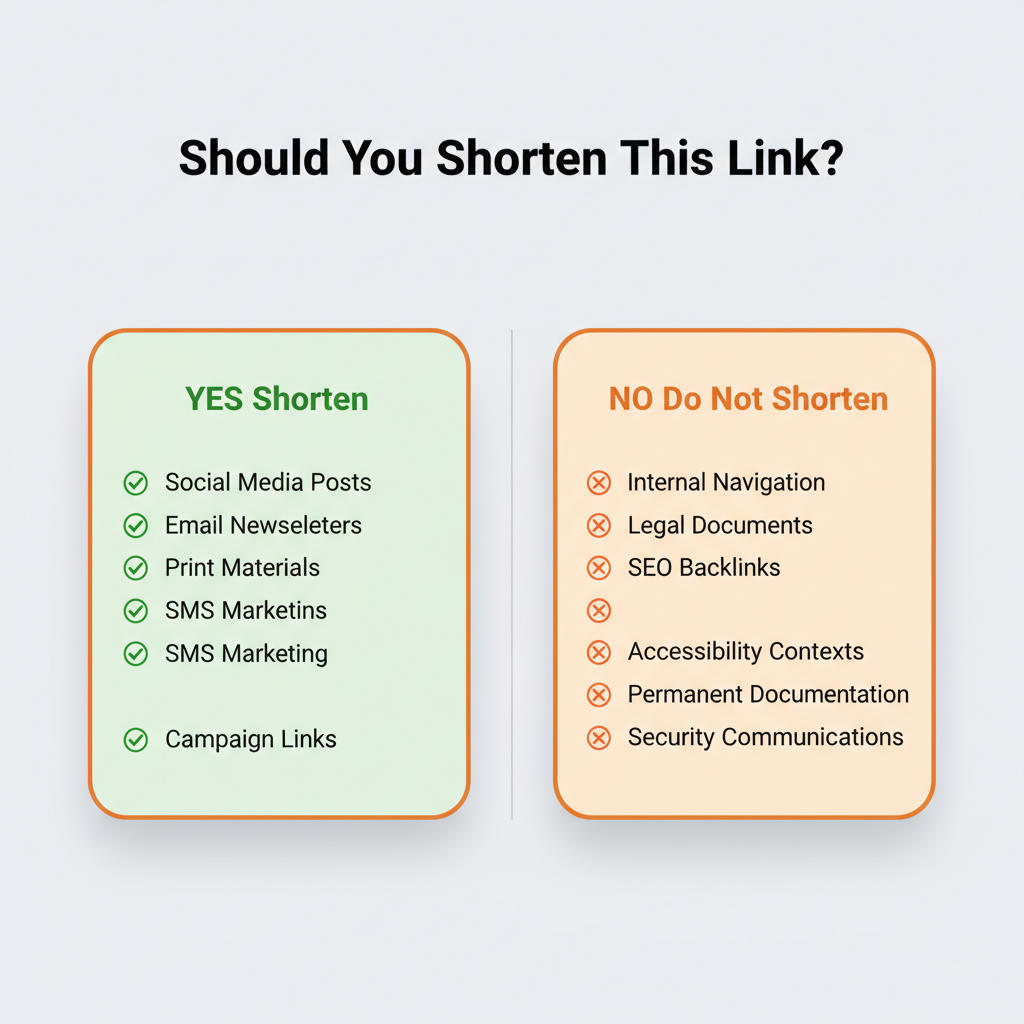
When NOT to Shorten a Link
Shortened links are not always the right choice. Here are six situations where using the full URL is better.
- Internal website navigation links: Links within your own site should use full URLs. Search engines need direct paths for proper crawling, and shortener redirects add unnecessary latency to your internal linking structure.
- Legal documents and official communications: Full URLs provide the transparency and verifiability required in contracts, terms of service, and compliance-related content.
- When SEO link equity matters most: While 301 redirects pass link equity, using the direct URL avoids redirect hops entirely. For high-value backlinks, the direct URL is always preferred.
- Accessibility-sensitive contexts: Screen readers announce the full URL domain, so a branded or descriptive full URL provides more context than a short code. When sharing links in accessibility-focused communications, consider your audience’s tools.
- Permanent resource links in documentation: Shortened links depend on the shortening service staying operational. If you are linking in developer documentation, help articles, or evergreen resources, use permanent direct URLs that you control.
- When your audience needs to verify the destination: In security-conscious environments like enterprise IT communications, users need to see the full destination domain before clicking. A full URL removes ambiguity.
Frequently Asked Questions About Shortening Links
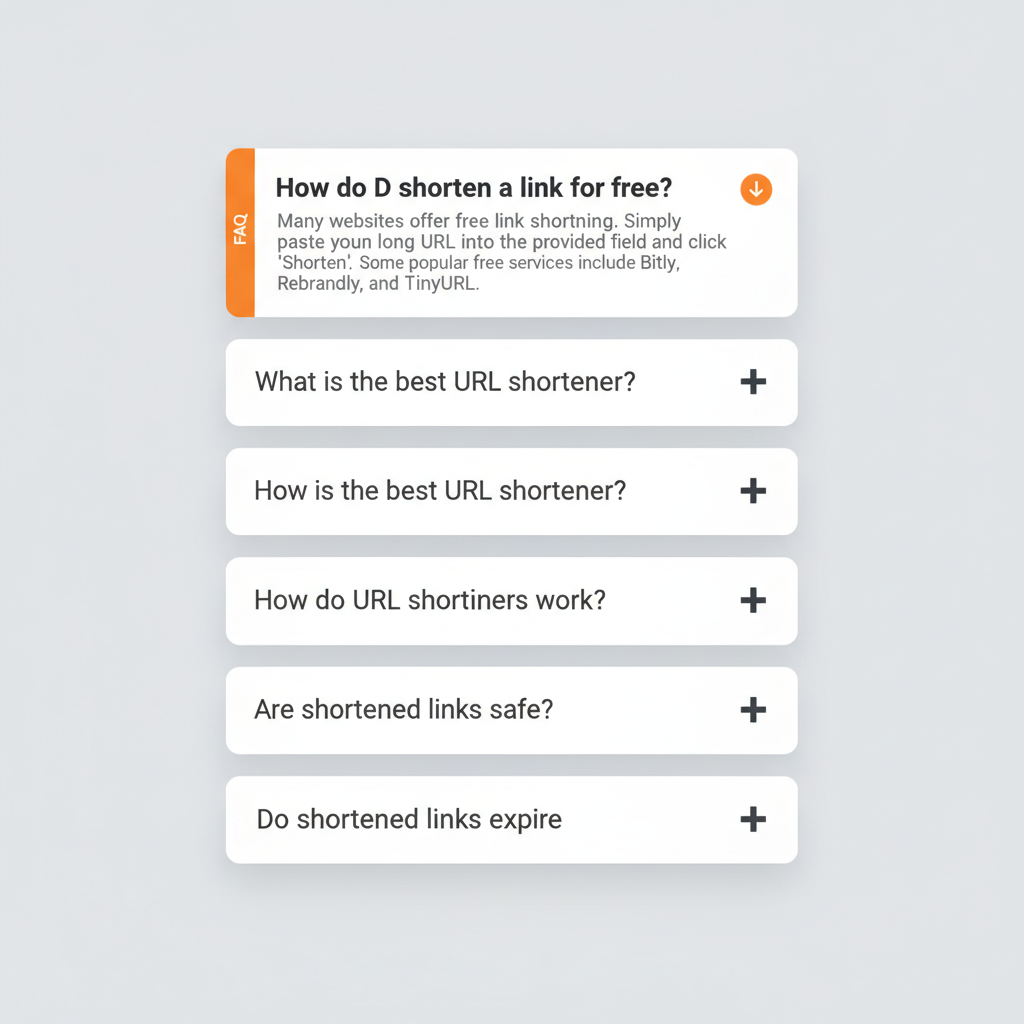
How do I shorten a link for free?
Paste your long URL into a free URL shortener like TinyURL, Bitly, or linkutm and click the shorten button. TinyURL offers unlimited free links, Bitly provides 10 free links per month, and linkutm offers 25 free links per month with UTM tracking and custom domain support included.
What is the best URL shortener in 2026?
The best URL shortener depends on your needs. Bitly leads in brand recognition for general use. TinyURL is simplest for quick one-off shortening. linkutm is built for marketers who need branded links with UTM tracking and GA4 integration in one tool.
How do URL shorteners work?
URL shorteners store a mapping between a short code and the original long URL in a database. When someone clicks the short link, the server looks up the original URL and performs an HTTP redirect (301 or 302) to send the browser to the correct destination page.
Are shortened links safe to click?
Shortened links from reputable services are safe, but they can be exploited for phishing because the short URL hides the destination. Verify short links from unknown senders using a preview tool (add “+” to Bitly links) or a URL unshortener service like GetLinkInfo before clicking.
Do shortened links expire?
It depends on the service. TinyURL links do not expire. Bitly free links persist but the company reserves the right to disable inactive links. Paid URL shorteners typically guarantee link permanence for the duration of your subscription.
Can I track clicks on a shortened link?
Yes. Most URL shorteners provide click analytics including total clicks, geographic location, device type, referral source, and timestamp. Branded shorteners like linkutm also integrate with Google Analytics 4 for full campaign attribution when combined with UTM parameters.
What happened to Google URL shortener (goo.gl)?
Google discontinued its goo.gl URL shortener in March 2019, citing the shift toward Firebase Dynamic Links for mobile. Existing goo.gl links continue to redirect, but no new links can be created. Alternatives include Bitly, TinyURL, Rebrandly, and linkutm.
Do shortened links hurt SEO?
No. Shortened links using 301 redirects pass full link equity to the destination URL. However, for internal website links, using direct full URLs is still preferred to avoid unnecessary redirect hops and potential indexing delays.
How do I create a branded short link with my own domain?
Sign up for a branded URL shortener like linkutm, Rebrandly, or Short.io. Connect your custom domain in the platform settings (the service handles SSL certificates automatically). Then create short links that use your branded domain instead of a generic one.
What is the difference between a short link and a branded link?
A short link is any URL that has been compressed to a shorter format using a generic domain (like bit.ly/x8k2p). A branded link is a short link that uses a custom domain you own (like go.yourbrand.com/offer), which increases click-through rates by up to 39% because users trust recognizable brand domains.
Start Shortening Links the Right Way
Shortening a link takes seconds with any free URL shortener. But using a branded shortener with UTM tracking turns every shared link into a measurable marketing asset that builds brand trust and drives higher click-through rates.
Here is the takeaway:
- Use an online URL shortener for quick, one-off link shortening
- Use a branded shortener for marketing campaigns (2.3x more clicks)
- Always add UTM parameters before shortening marketing links
- Branded short links increase CTR by up to 39% over generic links
- Check shortened links from unknown sources before clicking
- Do not shorten links when transparency or SEO equity matter more
Ready to create branded short links with built-in campaign tracking? linkutm combines a UTM builder, custom domain support, and real-time analytics in one platform, so you can shorten, brand, and track every link without switching between tools.